
LanePilot annual licence – software for 1 year
Description
LanePilot software – more than just on/off. Modern, easy-to-use software that digitalises play, billing and management of your lanes. The software can also be used on its own without hardware – LanePilot TREND or POWER are not required. With a LanePilot control box the lanes are additionally released and locked automatically.
- Lane control: start, stop, lock – with the software alone also for more than 8 lanes (TREND and POWER: up to 8)
- Automatic billing by time, game or rate
- Automatic receipts: invoice, cash receipt, PDF/e-mail
- Customer and club management: regulars, rates, discounts
- Optional: booking module “Bookings & calendar” – reservation calendar for your lanes
- Statistics & reports: revenue, utilisation, playing times
- Notifications, e.g. maintenance, faults, system status
- Individual settings: prices, opening and operating hours
Ideal for guesthouses & hotels, inns, nine-pin and bowling clubs, municipalities & sports facilities and lane operators.
No shipping – after payment the licence is created in the LanePilot licence portal. You receive the licence key by e-mail and enter it in LanePilot under Settings → Licence. To extend an existing licence – including after the first year included with TREND and POWER – please use the LanePilot licence renewal and enter your existing licence key there.
The exact range of functions depends on the current software version – we will be happy to advise you. Installation into the existing lane control is carried out by qualified staff (checking wiring diagram, safety functions and restart behaviour). A PDF statement does not replace a certified cash register.
What the LanePilot software can do
Modern, easy-to-use software that digitalises play, billing and management of your lanes.
The LanePilot software for controlling bowling and nine-pin lanes can also be used on its own without hardware. LanePilot POWER or TREND are not required. With a control box, automatic release and locking of the lanes is added.
What LanePilot looks like
A tour of the software
This is how LanePilot is organised – each menu item briefly explained:
- Lane control
The start screen shows each lane as a tile: free or occupied, the running playing time, the current rate with hourly price and the “Start” button. You start the lane, pause it if needed and bill directly after the game. Without a control box LanePilot works in manual mode – the lane is started by button; with LanePilot TREND or POWER it is also released and locked automatically.
- Daily overview
To the right of the lanes you see the day at a glance: revenue billed, number of invoices, minutes played, occupied lanes and the amount currently running. Below are open items on customer accounts and the latest invoices.
- Invoices
Every statement is saved as a receipt – with date, lane, playing time, rate, price and tax details. Receipts can be viewed, saved as PDF, printed or e-mailed to the guest.
- Customers & clubs
Create regulars and clubs with their own rates and discounts. Games can be booked to a customer account and billed together later – the start screen shows open items.
- Bookings & calendar (add-on module)
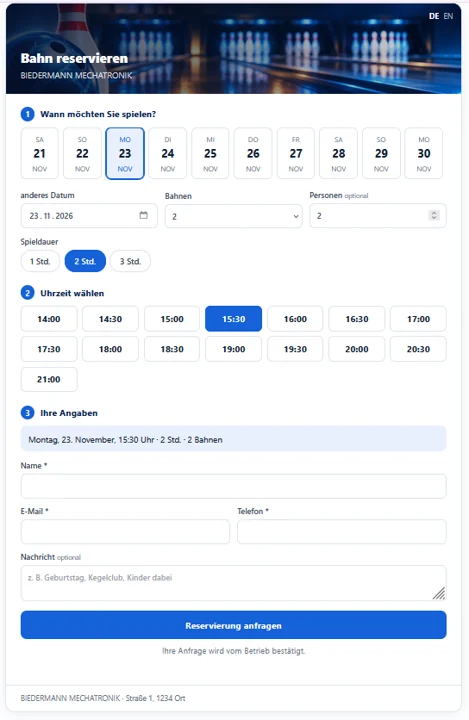
Optional: reservation calendar with day and week view of all lanes and online booking for your guests via your website. Reservations also work for several lanes, recurring weekly or as a lane block. You confirm or decline online requests with one click. The lane card shows “Reserved”; on start, customer and rate are taken over.
- Statistics
Revenue, utilisation and playing times per lane and period – with daily, weekly and monthly reports and export for accounting. Operating hours help to plan maintenance in time.
- Rates
Price profiles such as “Standard” with an hourly price, plus your own rates for clubs, regulars, guesthouse guests or events, time-dependent prices, minimum playing time and billing interval.
- Lanes
Create and name lanes – with the software alone also more than eight – as nine-pin or bowling lanes, either with a control box (TREND or POWER, up to 8 lanes each) or in manual mode.
- Users
Operator accounts with roles define who may bill, change prices or open the settings. Releases, corrections and price changes are logged.
- Settings
Company details for receipts, operating hours, interface language (German or English) and the licence – this is also where you enter the licence key.
All features
All lanes at a glance
All lanes appear as tiles in a common overview – with the software alone also more than eight. Each tile shows at once whether the lane is free or running, how long it has been played and the amount so far.
Start, stop and pause
Release or lock a lane with one click. Running playing times can be paused – for a meal break, for example – and resumed afterwards. Corrections are possible and are stored traceably.
Automatic time and price calculation
The software measures playing time from the confirmed release and calculates the amount itself: to the minute or in freely selectable intervals, with minimum playing time, flat rates or individual hourly prices per lane.
Statements and receipts
When the game ends the statement is ready – with date, lane, duration, rate, price and tax details. You can check it, save it as PDF, print it or e-mail it to the guest.
Optional: bookings & online booking
The add-on module adds the menu item “Bookings”: reservation calendar, recurring appointments, lane blocks and no double bookings – plus online booking for your guests, directly on your website, in German and English, also on mobile phones.
Rates for every guest
Create price profiles for club members, regulars, guesthouse guests, children's groups or events. Time-dependent prices – cheaper in the afternoon, for example – and special rates can also be set.
Daily closing and revenue
All completed games are collected by date and lane. Daily, weekly and monthly reports show your revenue; you can export the data for your accounting.
Statistics and utilisation
See which lane is used how often and for how long, and how much revenue it brings. The operating hours also help you plan maintenance in good time.
Users and log
Operator roles determine who may do what. Settings are protected, and price changes, manual corrections and releases are logged – so every statement remains traceable.
Local via Ethernet – no cloud
PC and control box are connected via the local network. No permanent internet connection is needed for operation – your lanes can be controlled and billed even without internet.
Secure data storage
All billing data is stored permanently. If the network is interrupted, the software follows a defined procedure for errors and restart so that your data is preserved.
Details
| Category | Software |
|---|---|
| Item number | LP-SW-2J |
| Availability | Licence – activated via the licence portal |
You may also need
 Software
LanePilot booking module – bookings & calendar
New PC · Mac · iPhone · Android
€79.00incl. VAT
Licence – activated via the licence portal
 Software
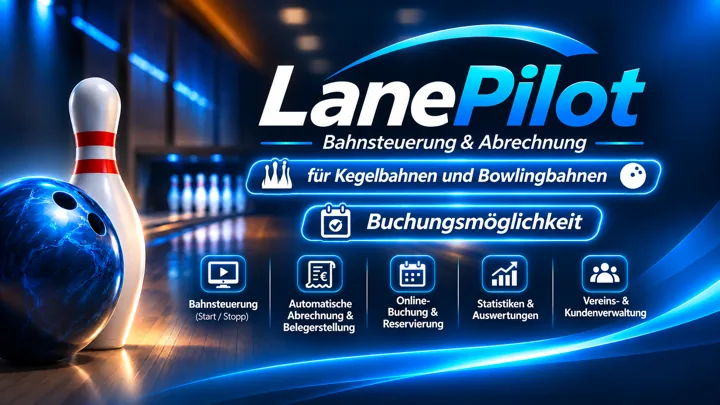
LanePilot trial licence – 14 days free
Free PC · Mac · iPhone · Android
Free
Free trial licence – activation via the licence portal
 Software
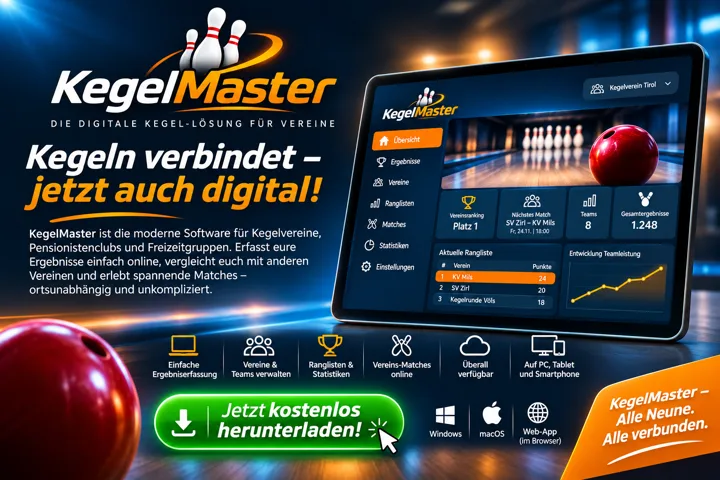
KegelMaster – the digital nine-pin solution for clubs
Free PC · Mac · iPhone · Android
Free
Free download
Software
LanePilot licence renewal – 1 year
PC · Mac · iPhone · Android
€99.00incl. VAT
Licence – activated via the licence portal